
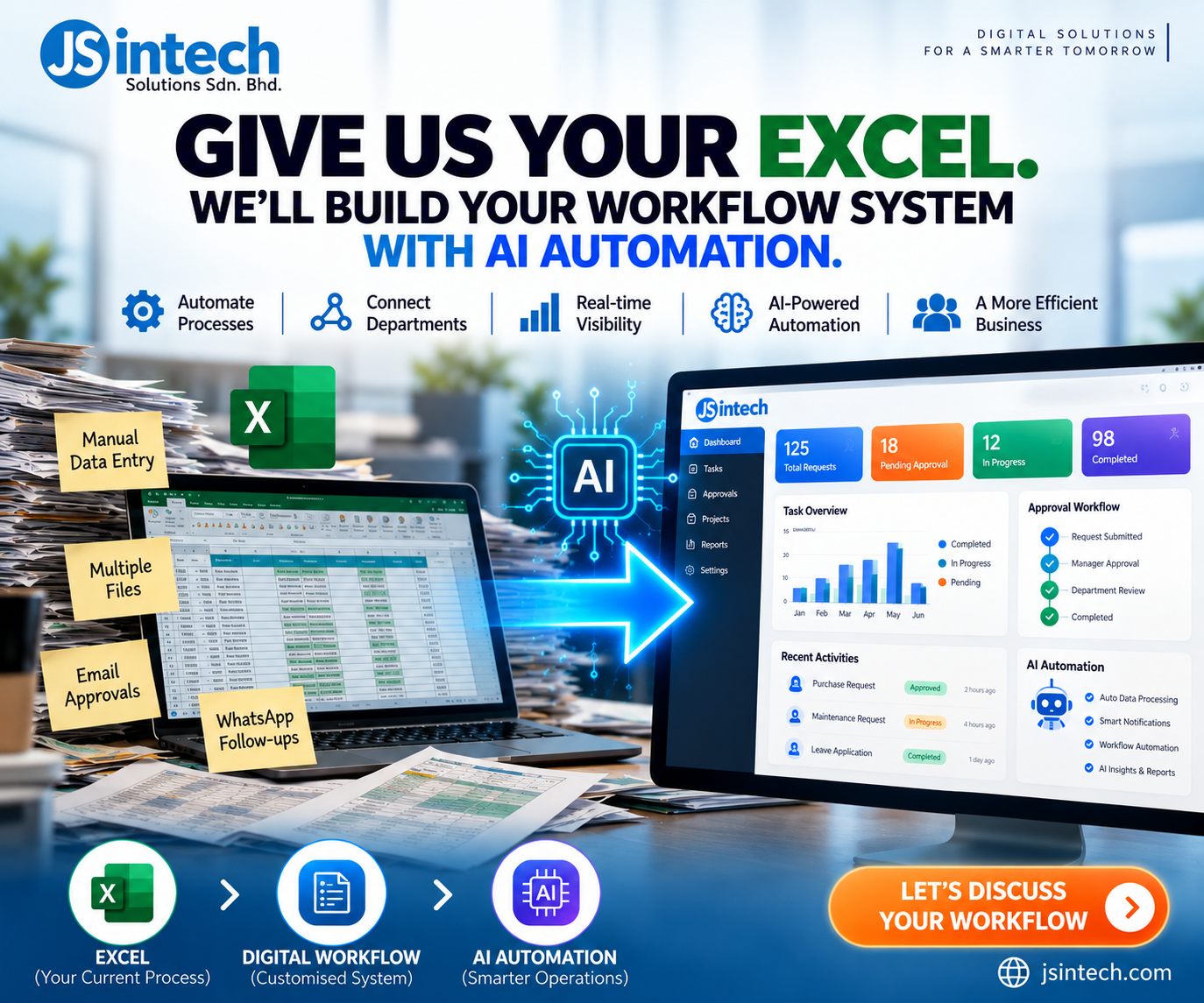
Give Us Your Excel. We’ll Build Your Workflow System with AI Automation.
Transform Your Existing Excel Processes into a Smarter Digital Business System
Excel is one of the most widely used business tools in the world. From managing customer information and inventory to tracking maintenance activities, purchase requests, and financial records, many businesses rely on spreadsheets to keep their operations running.
For small and medium-sized enterprises (SMEs) in Malaysia, Excel is often the starting point for managing business processes.
But as a business grows, what once worked efficiently can become increasingly difficult to manage.
Multiple Excel files, repetitive data entry, email approvals, WhatsApp follow-ups, and manual reporting can create unnecessary administrative work.
What if your existing Excel files could become the foundation of a complete digital workflow system powered by AI automation?
At JS Intech Solutions Sdn. Bhd., we help businesses explore how their existing spreadsheet-based processes can be transformed into customised workflow applications that improve efficiency, visibility, and operational control.
The goal is simple:
Give us your Excel. Show us your process. We’ll help you design a smarter workflow system.
1. The Hidden Challenges of Managing Business Operations with Excel
Excel is an excellent tool for calculations, analysis, and individual productivity. However, it was not originally designed to manage complex, multi-user business workflows.
As organisations grow, several common challenges begin to appear.
Multiple Versions of the Same File
Different departments may maintain separate copies of the same spreadsheet.
This can lead to inconsistent information, outdated records, and confusion over which file contains the latest data.
Repetitive Manual Data Entry
Employees may spend hours copying information between spreadsheets, emails, and other software applications.
Besides consuming valuable time, manual data entry increases the risk of mistakes.
Approval Processes Through Email and WhatsApp
Purchase requests, leave applications, maintenance approvals, and expense claims are frequently handled through email or messaging applications.
Without a centralised workflow, it becomes difficult to identify pending approvals, track decisions, and maintain a complete audit trail.
Limited Real-Time Visibility
Management often needs updated reports to understand business performance.
When data is spread across multiple spreadsheets, employees must manually consolidate information before preparing dashboards or management reports.
Difficulties Scaling Operations
As the number of users, transactions, and departments increases, spreadsheet-based processes can become harder to control.
The problem is not necessarily Excel itself. The challenge is using Excel as the primary system for managing an increasingly complex business.
2. From Excel to a Customised Digital Workflow System
Imagine transforming your existing Excel-based operations into a centralised business application.
Instead of employees exchanging spreadsheet files, they can access a shared system with defined roles, automated workflows, and real-time information.
A customised workflow system can include:
- Centralised data management: Store operational information in a structured database.
- User roles and permissions: Control what employees, supervisors, managers, and administrators can access.
- Automated approval workflows: Route requests to the appropriate approvers.
- Task and request tracking: Monitor activities from submission to completion.
- Dashboards and reporting: Provide visibility into operational performance.
- Notifications and reminders: Alert users when action is required.
- System integration: Exchange information with other business applications where supported.
The result is a more structured way to manage daily business activities.
Rather than replacing every existing business tool, the objective is to identify which processes would benefit most from automation and integration.
3. How AI Automation Can Improve Your Business Workflow
Traditional workflow automation follows predefined rules.
For example, when an employee submits a purchase request, the system can automatically send it to the relevant manager for approval.
AI automation can extend these capabilities by helping systems interpret information, process documents, and support more complex decisions.
Depending on business requirements, possible AI applications include:
AI-Powered Data Extraction
AI can help extract relevant information from documents such as invoices, purchase orders, and application forms.
The extracted information can then be reviewed and transferred into structured business records.
For an example of document workflow automation, explore our purchase order and delivery order matching system.
Intelligent Document Processing
Instead of manually reading and categorising every document, AI can assist with document classification, summarisation, and information retrieval.
Automated Business Notifications
Workflow systems can notify employees about pending approvals, overdue tasks, and activities requiring attention.
AI can also help summarise outstanding work or highlight patterns that deserve review.
AI-Assisted Reporting
Managers can use AI-assisted tools to explore business information, summarise operational trends, and generate insights from available data.
Intelligent Workflow Assistance
AI can support employees by answering questions based on authorised business information, suggesting next steps, or assisting with repetitive administrative activities.
AI works best when combined with well-designed business processes, reliable data, appropriate permissions, and human oversight.
Not every task requires AI. In many cases, conventional automation is the most effective starting point.
4. Practical Examples: What Can You Automate?
Every business operates differently, but many Excel-based processes follow similar patterns.
Here are several examples of workflows that can be digitised.
| Business Process | Common Excel-Based Approach | Potential Digital Workflow |
|---|---|---|
| Purchase Requisitions | Excel forms and email approvals | Online requests with approval routing |
| Inventory Management | Manual stock spreadsheets | Centralised inventory records and alerts |
| Maintenance Management | Equipment logs in Excel | Work orders and preventive maintenance scheduling |
| Leave Applications | Excel records and WhatsApp requests | Employee portal with approval tracking |
| Expense Claims | Spreadsheet forms and receipt emails | Digital claims and approval workflow |
| Customer Requests | Shared Excel tracking sheets | Request management with status updates |
| Project Tracking | Multiple departmental spreadsheets | Centralised task and project dashboards |
| Management Reporting | Manual report consolidation | Dashboards using connected operational data |
These are illustrative examples. The actual system should be designed around the organisation’s operational needs.
5. Why Customised Workflow Systems Can Be Better Than Generic Software
Many organisations attempt to solve operational challenges by purchasing off-the-shelf software.
While standard software can be effective, it may not always match a company’s existing processes.
Some businesses require specific approval hierarchies, operational rules, reporting formats, or integration with legacy systems.
A customised workflow system offers the flexibility to design applications around these requirements.
Potential advantages include:
Business-specific workflows
The application can reflect how different departments operate and collaborate.
Integration with existing systems
Where technically supported, the solution can connect with existing accounting software, ERP systems, databases, or other business applications.
Role-based access
Employees can be given access appropriate to their responsibilities.
Scalable functionality
Additional modules and workflows can be introduced as business needs evolve.
A familiar starting point
Existing Excel files provide useful insight into the company’s data structures, business rules, and reporting requirements.
The objective is not simply to reproduce Excel on a website.
It is to understand the business process behind the spreadsheet and improve how that process works.
6. Our Approach: From Excel to AI-Powered Workflow Automation
At JS Intech Solutions, a practical workflow transformation project can follow six stages.
Step 1: Understand Your Existing Excel Processes
Start by reviewing the spreadsheets currently used by your business.
We look at how information is collected, updated, approved, shared, and reported.
Step 2: Map Your Business Workflow
Identify the people, departments, approval stages, and business rules involved.
This helps reveal bottlenecks, duplicated work, and opportunities for improvement.
Step 3: Design the Digital System
Plan the application modules, user roles, database structure, dashboards, and approval workflows.
Step 4: Identify Automation and AI Opportunities
Determine which activities can be automated using predefined rules and which may benefit from AI-assisted processing.
Step 5: Develop and Integrate
Build the agreed solution and connect it with existing systems where feasible.
Step 6: Test, Deploy, and Improve
Validate the system with actual users, prepare for deployment, and refine workflows based on operational feedback.
The scope, technology, and implementation timeline depend on the complexity of each project.
7. You Don’t Need to Replace Everything at Once
Digital transformation does not have to begin with a large, organisation-wide project.
In many cases, the most practical approach is to start with one repetitive or inefficient workflow.
For example, a company could begin by digitising its purchase requisition and approval process.
Once the new workflow is operating effectively, additional functions such as inventory tracking, expense claims, or maintenance management can be introduced.
This phased approach allows organisations to validate the solution, gather user feedback, and prioritise further improvements.
It also provides an opportunity to establish data quality, access controls, and governance before introducing more advanced AI features.
8. Is Your Business Ready to Move Beyond Excel?
Consider these questions:
- Are employees repeatedly entering the same information into different spreadsheets?
- Do approvals get delayed because requests are buried in emails or WhatsApp messages?
- Does management struggle to obtain accurate, up-to-date operational reports?
- Are multiple departments maintaining separate versions of business data?
- Is it difficult to track who completed a task or approved a request?
- Are your existing business systems disconnected?
- Do you want to explore AI automation but aren’t sure where to begin?
If several of these challenges sound familiar, it may be time to review your current workflow.
Your spreadsheets could provide a valuable starting point.
9. Why Work with JS Intech Solutions?
JS Intech Solutions Sdn. Bhd. helps organisations explore practical digital solutions through customised software development, workflow automation, and systems integration.
Our focus is on understanding business requirements and identifying technologies that can simplify operations.
Whether your organisation wants to digitise a single Excel process or plan a broader business workflow platform, the first step is understanding how your business works today.
We believe digital transformation should begin with real operational challenges—not technology for its own sake.
Conclusion: Your Excel Files Could Be the Beginning of Something Bigger
Excel has helped countless businesses organise their operations.
But as processes become more complex, organisations may need a more structured, connected, and automated way of working.
By transforming spreadsheet-based processes into customised workflow systems, businesses can improve operational visibility, reduce repetitive work, and create opportunities for intelligent automation.
And with appropriate AI capabilities, those systems can become even more useful.
You already have the business process. We can help you explore the technology to improve it.
Give Us Your Excel. We’ll Help You Build Your Workflow System with AI Automation.
Ready to move beyond spreadsheets?
Contact JS Intech Solutions Sdn. Bhd. to discuss your existing workflow and explore how a customised digital system could support your business.
Website: https://jsintech.com
Contact us: https://jsintech.com/contact-us/
Let’s turn your Excel-based processes into smarter digital workflows.